
6 min read
How to roll back after a failed update
An update can break a cart or a payment. The worst moment is not the incident itself, but the one where nobody knows what to restore or how.
An effective rollback is not improvised during the outage: it is prepared before publishing, while your mind is still clear.
This guide explains how to set up a fast, reliable rollback, to turn a failed update into a simple, controlled incident.
Prepare a rollback before every sensitive release
Identify the known-good version, the affected areas and the person responsible before publishing.
Start a free trialSee pricingHow it works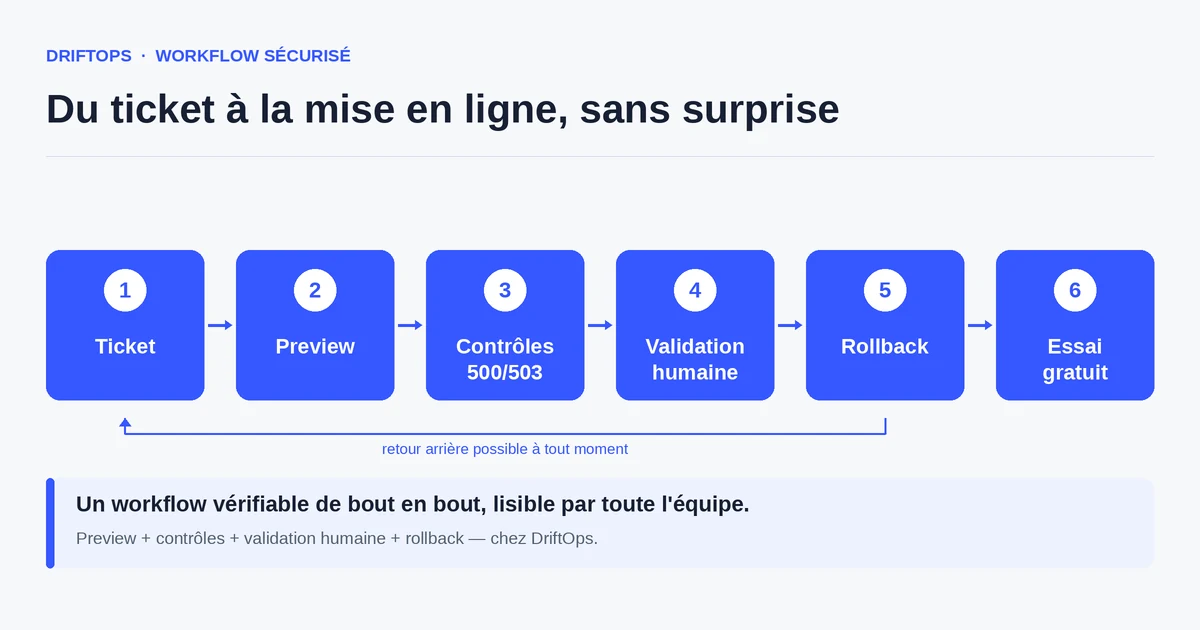
What a rollback must really cover
Rolling back is not just restoring files. An e-commerce store mixes code, database, module configuration and sometimes media files. A partial rollback can leave the store in an inconsistent state.
A good rollback identifies the known-good reference version in advance: the code, the database state and the configuration that matched a working store. Without that reference, you restore blindly.
It also defines the scope: some data (orders placed during the incident) must not be lost. A well-thought rollback distinguishes what you restore from what you preserve.
The risks of an improvised rollback
Improvising during the incident costs time, and time costs sales. Looking for which version was good, finding a backup, checking it is usable: all of this lengthens the outage.
A poorly prepared rollback can make things worse: restoring an old database erases recent orders, or reintroduces an already-fixed bug. Haste creates new problems.
Finally, the absence of a designated owner paralyses the decision: everyone waits for someone to decide, and the incident drags on for lack of a clear role.
The method: prepare the return before publishing
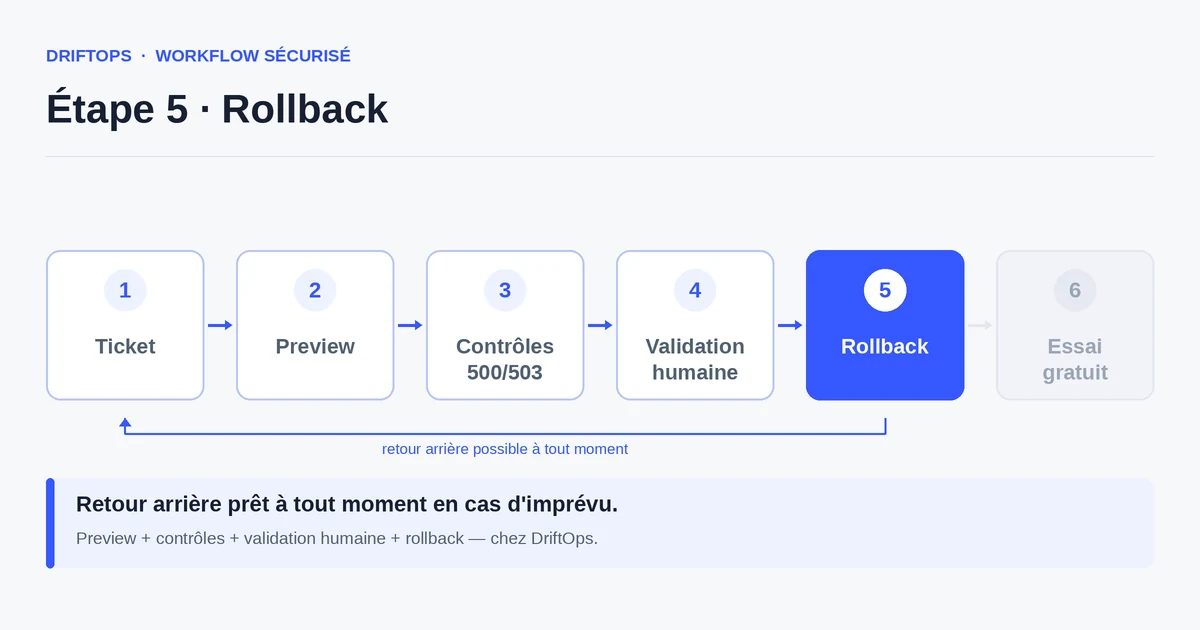
Before each release, note the known-good reference version and prepare the restore point. It is the insurance you take before leaving, not during the accident.
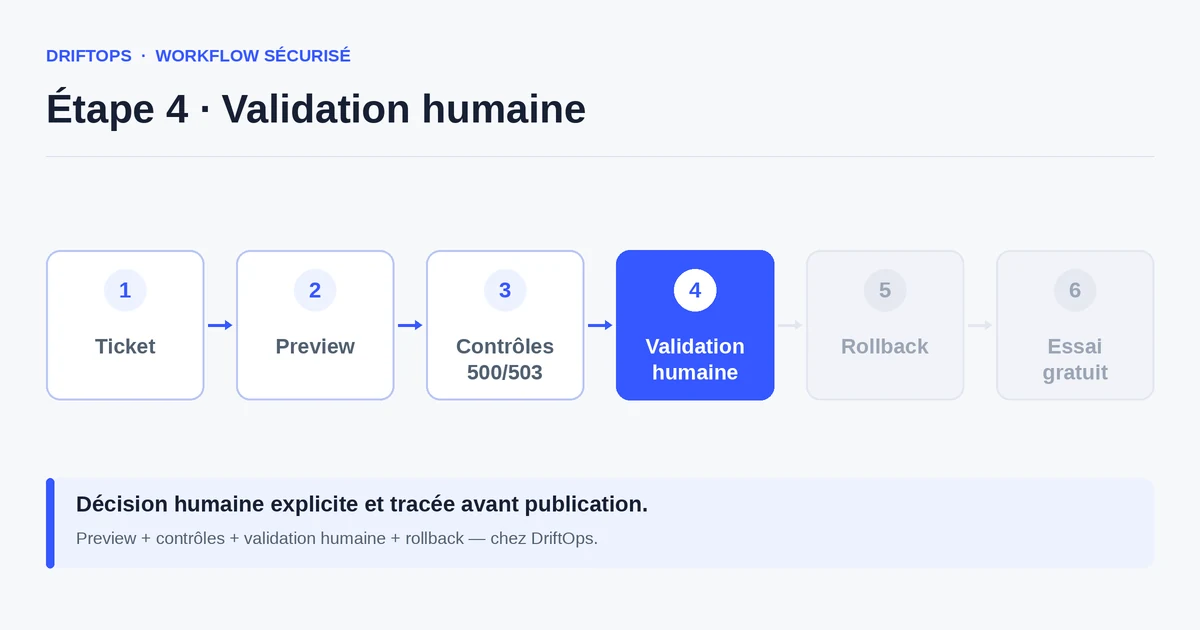
Define the procedure: who triggers the rollback, on which signals (500/503 errors, blocked payment, conversion drop), and what you preserve (in-flight orders). A prepared decision is made in seconds.
DriftOps keeps this restore point visible and ties the rollback to a human decision. The team knows which version was validated and can return to it without rebuilding the context under pressure.
A "just in case" backup vs a prepared rollback
A "just in case" backup eases the conscience but stays theoretical: you do not always know whether it is complete, usable, or how to restore it quickly.
A prepared rollback is tested and documented: known reference version, clear procedure, designated owner. The difference is measured in minutes of downtime on the day of the incident.
PrestaShop, WooCommerce and Magento compared
| Platform | Frequent risk | Recommended check |
|---|---|---|
| PrestaShop | Modules, overrides, hooks, translations and Smarty cache. | Test product pages, cart, checkout, back office and cache clearing. |
| WooCommerce | Plugins, WordPress options, webhooks, emails and scheduled actions. | Check cart, sandbox payment, coupons, stock and order emails. |
| Magento | Indexes, full-page cache, compilation, store views and modules. | Check catalogue, checkout, indexing, cache warm-up and rollback artefact. |
How to roll back after a failed update becomes more reliable when these differences are treated as explicit checks rather than server details.
Use case: a plugin that breaks order emails
A WooCommerce plugin is updated. Payments keep going through, but confirmation emails no longer send: the customer pays and receives no trace of their order.
Because the restore point was prepared, the team returns to the validated version in moments, restores the emails, then fixes the plugin calmly on a copy.
The incident lasts a few minutes instead of a few hours, and no order is lost thanks to a well-defined rollback scope.
Checklist for a ready-to-use rollback
Prepare these items before every sensitive release.
- Known-good reference version identified (code, database, configuration).
- Restore point created before the change.
- Trigger signals defined (500/503, payment, conversion).
- Data to preserve listed (in-flight orders).
- Owner of the trigger designated.
- Restore procedure known and accessible.
- Monitoring planned in the minutes after publishing.
Measuring the effectiveness of your rollback
The main indicator is the downtime duration in case of an incident. A prepared rollback brings it down from several hours to a few minutes.
Also track the number of incidents resolved without data loss: it is the sign that the restore scope is well thought out.
Conclusion: calm is prepared in advance
A fast rollback is not a technical feat: it is the result of preparation done before the outage, when decisions are rational.
By identifying the known-good version, the scope and the owner before publishing, you greatly reduce the duration of incidents. DriftOps keeps this plan accessible at the right moment.
Make rollback accessible to the whole team
Keep the restore point visible and the procedure known so you can decide fast on the day of the incident.
Start a free trialSee pricingHow it worksFrequently asked questions
Is a rollback just restoring files?
No. It must cover the code, the database, the module configuration and sometimes media, while preserving data you must not lose, such as recent orders.
When should I prepare the rollback?
Before publishing, not during the incident. It is the preparation that makes the rollback fast and calm.
What is a known-good reference version?
The code, database state and configuration that matched a working store; identifying it in advance lets you restore deliberately instead of blindly.
How do I avoid losing recent orders during a rollback?
Define the scope beforehand: distinguish what you restore from what you preserve, such as orders placed during the incident.
On which signals should I trigger a rollback?
On defined signals like 500/503 errors, a blocked payment or a conversion drop, decided in advance so the response is immediate.
Who should trigger the rollback?
A designated owner, so the decision is not lost while everyone waits for someone to act in the emergency.
How much downtime does a prepared rollback save?
It brings an incident from several hours down to a few minutes, as in the case of a plugin that breaks order emails on WooCommerce.
How does DriftOps support rollback?
It keeps the restore point visible and tied to a human decision, so the team knows which version was validated and can return to it without rebuilding context.
Reduce the duration of your incidents
DriftOps keeps the restore point visible and the human decision, so you can roll back without panic.
Start a free trialSee pricingHow it works